

A $2,500 sponsorship sounds better than a $1,500 sponsorship. It gets less exciting if the larger deal fills your week while the smaller one fits into a video you were making anyway.
The fee is only the beginning of that comparison. You also need to know what you will spend to deliver the work and how many hours it will take. Subtract the paid costs, then divide the money left by your hours. You can use the result to compare offers, spot an expensive extra request, or work out why a deal you finished felt poorly paid.
Count what the sponsorship adds
Start with a question: what would you do differently if you accepted this offer?
For a short sponsored segment inside a video already on your schedule, count the extra product testing, script, filming, editing and brand review. Include materials you buy for the demonstration and any additional fee your editor charges. If you were paying for the main video’s edit anyway, don’t charge that whole bill against the extra segment.
For an additional video made because the brand commissioned it, count the entire production. If it replaces a planned upload instead, compare the two plans: subtract costs and hours you genuinely avoid, and consider any income you give up. Postponing the original video until next week does not save its production cost.
That distinction follows the accounting principle of looking at costs that change with a decision. You don’t need to deduct the purchase price of a camera already on your shelf each time you consider a new sponsor. A camera rented specifically for the sponsor’s shoot belongs in the calculation.
Add any manager commission, platform charge or payment-processing fee you would owe. If the quoted fee already has that charge deducted, don’t subtract it again. A free tool isn’t cash payment; if it replaces something you were going to buy, note that saving separately.
A larger fee can leave less per hour
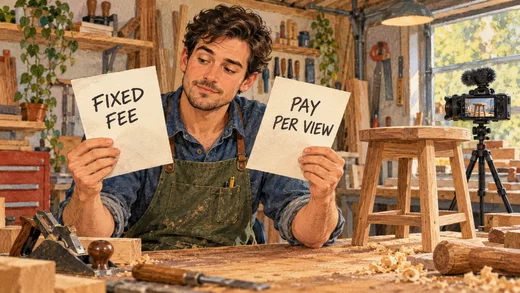
Here’s an example for a woodworking channel. Offer A pays $1,500 for a short tool demonstration in a video already planned. Offer B pays $2,500 for a standalone build commissioned by the brand.
B is an additional project, not a replacement for your planned upload. Both offers include one review round, no manager commission, no category exclusivity and no permission for the brand to run the footage in its own ads. Here’s the comparison in US dollars:
| A: short segment | B: full build video | |
|---|---|---|
| Sponsor fee | $1,500 | $2,500 |
| Paid costs | $300 | $1,000 |
| Money left | $1,200 | $1,500 |
| Your work | 10 hours | 25 hours |
| Left per hour | $120 | $60 |
A’s $300 covers extra materials and editing for the segment. B’s $1,000 covers materials, location costs and the full edit.
The calculation is (fee − paid costs) ÷ your working hours. You haven’t deducted a wage for yourself: the result is what each hour contributes toward your pay, regular channel bills and taxes.
Offer B leaves $300 more in total, but earning it takes 15 extra hours: $20 for each additional hour. You might still want the project: perhaps the build would make a particularly good video, and you have the time. Now you can judge that choice with more than the invoice total to go on.
Include the work outside filming and editing
The 10 hours in Offer A could break down like this:
- 3 hours: read the brief, test the tool and plan the demonstration.
- 2 hours: set up and film the sponsor shots.
- 3 hours: edit your part, prepare the draft and handle feedback.
- 2 hours: discuss the deal, send performance figures and invoice.
Your editor’s hours belong in their bill. Your own time briefing them and reviewing their work belongs in your time estimate. Paying for help doesn’t make your involvement disappear.
In his 2024 year in review, Jay Clouse described bringing sponsorship operations in-house to stop paying fees to third parties. Sponsorship revenue grew by about 41%, but time spent running those sponsorships more than doubled. It took time away from making content, building relationships and serving his membership community. When comparing self-management with paying someone to handle deals, put those operational hours beside the commission you would save.
When reviewing a month of sponsorship work, include unsuccessful pitches and negotiations too. Otherwise, a neatly calculated return on each completed deal hides the hours spent finding the next one.
Count working time, rather than every day the project is open. Four days waiting for approval aren’t four days of work. If you must keep the workshop set up for possible reshoots, check which other jobs that blocks before promising the deadline.
Decide what you need the deal to contribute
There isn’t one hourly figure every creator should accept. Start with what you need sponsorships to contribute toward your pay and regular channel bills, after paying each deal’s expenses. Divide that by the time you can devote to sponsorships, including finding and managing the deals.
For example, if you need $2,400 a month toward those bills and your pay before personal taxes, and can spend 40 hours on sponsorships, you need to average $60 per hour. Compare it with other paid work you could realistically do in those hours. If your estimates fall short, you need a different fee, less work or another income source to cover the gap.
Keep the whole channel in view as well: regular software, equipment and unsponsored videos still need funding. A profitable-looking sponsored segment cannot tell you whether the month’s total income covers all that work.
Change the offer before the work expands
Suppose Offer A takes 15 hours instead of 10 because the brand asks for another shoot and edit. The same $1,200 now leaves $80 per hour, down from $120. If the editor also charges more, the figure falls again.
To keep the original $120 per hour over 15 hours, you would need $2,100: $1,800 left after $300 in paid costs. Add any increase in the editor’s bill too. That gives you a concrete starting point for discussing the extra shoot.
If the budget is fixed, propose a smaller demonstration or fewer deliverables. Agree on the script before filming and specify the included review rounds, so a new creative direction isn’t quietly added to the original job.
An easier deadline can help too. Filming during your normal production day may avoid a separate setup or rush editing charge. Our guide to responding to sponsorship offers covers clarifying the work before you quote.
Use hours to check the deal, not to price everything the sponsor buys. The brand is also paying to reach your audience. Permission to use your video in advertising, or a restriction on working with competitors, has value beyond production time. Keep those permissions and restrictions visible beside the calculation, and negotiate their scope and price separately. A six-month advertising licence doesn’t become worthless because sending the file takes two minutes.
Keep a short record for the next offer
Once the work is finished, replace your estimates with actual costs and hours. Include the review and reporting work after publication. If product testing took much longer than expected, carry that lesson into the next quote.
Keep the fixed fee separate from possible commission or performance bonuses. Start with the amount promised for delivering the work, then compare outcomes for the uncertain part. Our guide to sponsorship payment arrangements explains those options. Record an unpaid invoice as money owed, rather than cash already available to spend.
You can copy these lines into your notes:
Work included: deliverables, review rounds and usage rights
Fee for the work: $[amount]
Paid costs, including any commissions or fees: $[amount]
Money left: fee minus paid costs = $[amount]
My hours: [hours]
Left per hour: money left divided by hours = $[amount]
What needs to change: [changes]
Actual costs / hours: $[amount] / [hours]
Actual left per hour: $[amount]; paid on [date]
The most useful comparison is your estimate against what actually happened. If a ‘quick’ product demonstration took a full day, the next quote can account for it before you promise the work.