
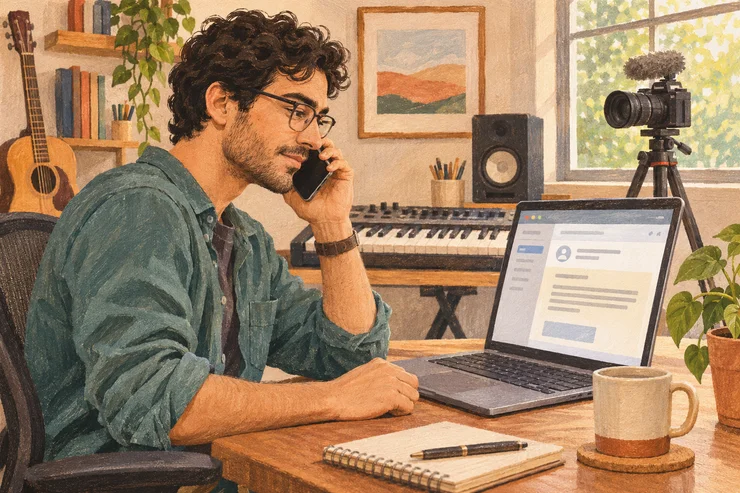
Music-gear reviewer Tony McKenzie happened to be replacing a broken Arturia keyboard when an offer arrived from someone claiming to represent Arturia. They offered products and asked about his video fee. He recalled an approach that looked familiar from genuine gear-review inquiries.
In his January 2023 account, he described it as an impersonation scam. The supposed product catalogue was a Windows program he was asked to run. A promising gear offer had become a request to install a stranger’s software.
The first check is whether the person actually represents the sponsor. Find a contact at the company independently and ask it to confirm the sender and campaign. Leave the pitch’s links, files and access requests alone while you check.
Ask the brand through a contact you find yourself
Expand the sender details in your inbox and copy the full email address, not just the display name. You’ll need it when you ask the brand about the offer.
Then open the company’s official website. Use an address you already know, or search for the brand separately. Check the spelling of the web address, not just the logo on the page. Look for its partnerships contact, contact form or support team. If you’ve worked with the brand before, use the contact you already know.
Don’t use the phone number or contact link in the suspicious email to verify that same email. An impersonator can supply both. YouTube’s creator safety guidance recommends checking brand deals directly with the company or your usual contact.
Ask about the named person, their full email address and the campaign. Seeing the brand sponsor other YouTubers tells you it works with creators. It doesn’t tell you who sent this offer.
The email might come from an agency. That can be legitimate: brands hire agencies to find creators and manage campaigns. Ask the brand whether this agency and representative are working on its behalf. A real agency can be impersonated too.
Here’s a message to send to the contact you found on the company’s website:
Hi, [name] has contacted my YouTube channel from [full email address] about promoting [product/campaign]. They say they work for [agency/brand]. Could you confirm whether they’re handling this campaign, or pass this to your partnerships team?
Some companies make this easy. NordVPN invites people to check doubtful emails through the live chat on its official website. Elsewhere, support may need to route your question internally.
If the company confirms the original sender and campaign, you can resume the conversation with that sender. If it denies the approach, stop and use your email provider’s “Report phishing” option. If nobody can confirm it, leave it on hold. Silence doesn’t prove fraud, but it doesn’t give you a reason to open the files either.
A convincing email can still be an impersonation
“NordVPN Partnerships” is easy to type into a sender-name field. Even the address underneath can look convincing at a glance.
NordVPN’s published list of genuine email domains includes both @nordvpn.com and @nordvpnmedia.com. So a different domain from the main website can be legitimate.
In a June 2023 investigation, SANS researcher Yee Ching Tok examined an offer sent from collaboration@nordvpn-media[.]com. One extra hyphen separated it from the genuine media domain. The brackets around the dot here keep the imitation address inactive.
The email came with a media-kit PDF. The PDF itself appeared harmless under inspection, but its download button led to a password-protected archive on Dropbox. Among the files inside was a program Tok identified as credential-stealing malware.
The recognizable brand, polished document and familiar file-sharing service all helped the pitch look ordinary. None established who was behind it. Don’t use a convincing PDF as a reason to skip the independent check.
Requests that should stop the conversation
An email can begin with sensible questions about your channel and only introduce a risky request later. Pay attention to what you’re being asked to do next.
Install something to see a brief or catalogue
A product catalogue shouldn’t require installing an app, running a program from an archive or turning off a security warning. Stop if those are the conditions for finding out what the sponsor wants.
You don’t have to type your password for malicious software to steal access. In its 2021 investigation of fake YouTube sponsorships, Google’s Threat Analysis Group found programs that stole browser session cookies. Those cookies help websites remember that you’re already signed in. Stealing them can let an attacker use that existing login without entering your password or a fresh verification code.
That can mean losing control of your channel. Two-step verification still helps when someone steals your password; this attack targets a login you’ve already completed.
Of course, a real software review requires software. Verify the deal first, then get the app from the vendor’s official website or your existing account on that site.
Share a password or hand over your channel
A sponsor doesn’t need your Google password, verification codes or a role managing your channel to send a brief. Don’t provide them. If a message asks you to log into Google or a document service, open the service yourself instead of signing in through the email’s link.
Some access requests do belong in a verified deal. YouTube’s brand partner access, for example, lets a brand see a sponsored video’s performance and promote it as an ad. That’s a specific video permission to discuss as part of the agreement. Check such a request inside YouTube Studio, where genuine brand requests appear, and confirm it matches the deal. It isn’t a reason to make a stranger a manager of your channel.
Pay to get paid
Don’t pay an upfront fee to unlock a sponsorship. The FTC’s advice for influencers also warns about checks you’re told to deposit before sending some of the money elsewhere.
The trap is that the money can appear in your account before the bank discovers the check is fake. By then, you’ve sent real money to the scammer and owe the bank what it credited you.
A verified sponsor asking for invoice and payment details after you’ve agreed on a deal is normal. Asking for your banking password, or money before you can get the job, is a different request.
Already followed the instructions? Secure your account
Opening a message or following a link doesn’t by itself establish that your channel was stolen. Close the suspicious page and don’t continue with its instructions. If you entered login details, ran software or approved account permissions, act now.
Follow Google’s account-security checklist:
- Change compromised passwords and check your recovery email and phone number.
- Review signed-in devices and sessions, signing out any you can’t account for.
- Remove unfamiliar app access and channel permissions.
If you ran suspicious software, secure your accounts from a separate trusted device so the program can’t capture your new login. Follow Google’s malware-removal guidance, or get help from a trusted IT professional, before using the affected computer for sensitive logins. Other passwords saved on that computer may need changing too.
If your channel has been changed or you’ve lost access, start with YouTube’s hacked-channel recovery page. It explains how to recover the connected Google Account and get help with the channel. Use those official routes rather than strangers offering recovery services in social-media replies.
A genuine sender is the start of a deal
Once the brand confirms who you’re talking to, you can get back to the interesting questions. Would you recommend the product? What does the sponsor want you to make? What will it pay, and when?
Our guide to responding to a YouTube sponsorship offer helps you turn that verified inquiry into a useful conversation about the work and terms. You can be pleased about the opportunity and still check who’s offering it.