
In 2024, George filmed a comparison of two air conditioners for his review channel. Two summers later, he reported $35.50 in commission from his first two YouTube Shopping orders. Both came from that comparison. People were still watching it, so he’d gone back and tagged the two models he’d reviewed. Watch George walk through the numbers.
Yes, you can earn affiliate commission from an older YouTube video. You can add a retailer’s affiliate link to the description of a published review or, if you’re enrolled in YouTube Shopping, tag an eligible product in the existing video. The opportunity is the next viewer who decides to buy. Adding a link today won’t earn commission on purchases people made last year.
Start with the video people still use to make a choice
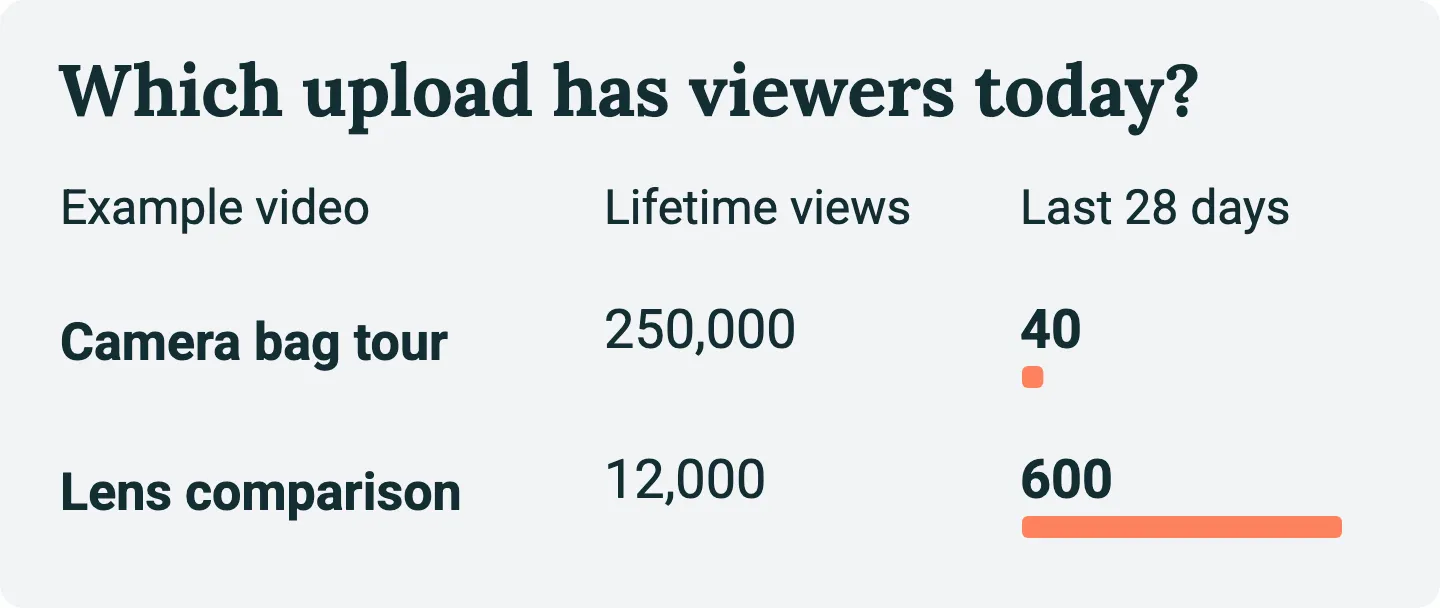
Open YouTube Studio’s Analytics, choose a recent period such as the last 28 days, and look through your top content for older uploads. Lifetime views can send you to a launch-day hit that barely gets watched now. If you review seasonal products, look at the same season last year too. George thought summer heat helped bring people back to his air-conditioner comparison. An empty January might tell you very little about June.
Watch the part where a viewer might reach for the description. What would they be looking for? In a comparison of two air conditioners, it might be the quieter model the creator recommends for a bedroom. In a bedroom makeover, the unit might sit in the window for half the video without anyone learning a thing about it. I’d spend the time on the comparison first. A recent comment asking “Which size did you test?” gives you an even better clue about what the link needs to say.
Can you still stand behind the recommendation?
Suppose you find an old lens review that still gets search traffic. Would you give a viewer the same buying advice today? If a year of use turned up a focusing problem that changes your verdict, explain what you learned before sending someone to a shop. You can leave a useful review online without adding a buying link.
Two things can rule out an otherwise good candidate. First, if it was a sponsored video, check what you agreed about retailer links and exclusivity. Second, play the actual recommendation and listen to what you told viewers. An old lens review where you already say “I earn a commission if you buy through the links below” is a straightforward place to repair a link. Repeat the explanation alongside the link and check that it covers the route you’re adding.
An independent review recorded before you joined the program is a different case. In the US, the FTC explains why a description alone can miss viewers watching an endorsement. A Shopping button shows where to buy, but it doesn’t tell people you earn a commission. If the old video gives you no suitable way to explain the new relationship at the recommendation, I’d keep it as an independent review and record a follow-up where you can say it plainly. Use the disclosure rules that apply to your audience and notify YouTube of paid promotion where required.
Follow the link all the way to the product
Open the description on the watch page and try the link that’s already there. A dead page is easy to spot. A retailer that quietly redirects to its homepage, a newer model or the wrong version of the same product is easier to miss. Compare what you held up in the video with the item selected on the retailer’s page. Check that the seller still has it and ships to the viewers you’re trying to help.
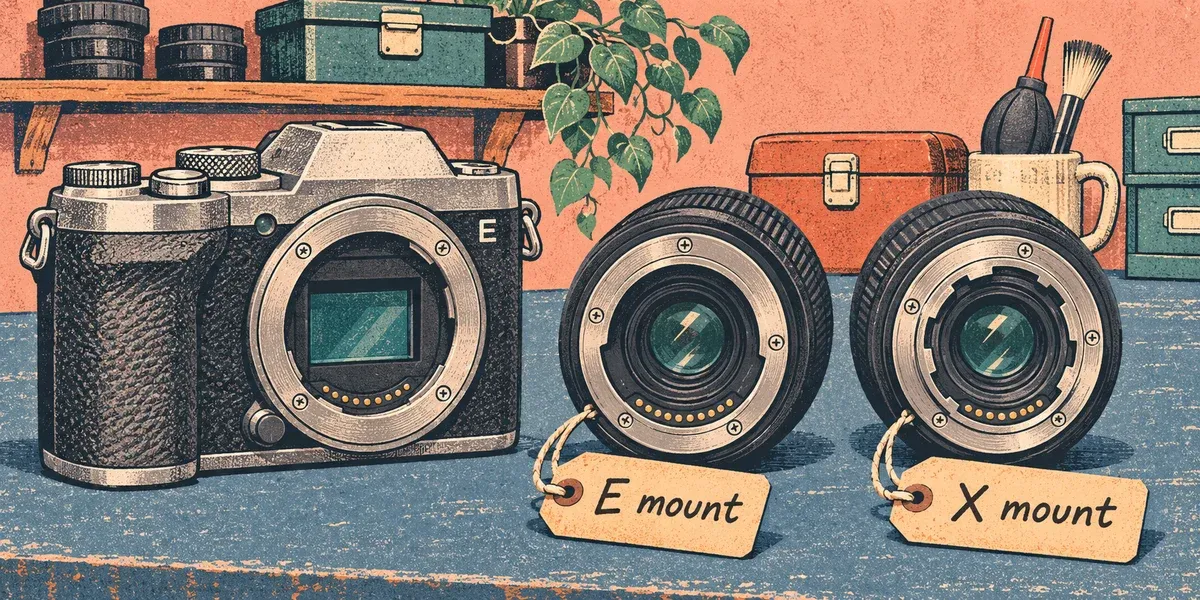
If the exact lens is still sold, generate a fresh link through your affiliate program when the old one needs replacing. If it’s discontinued, say so. You might know a replacement well enough to recommend it, but identify it as a different lens and explain what you’ve actually tried. Otherwise, remove the stale shopping link and leave the model name for viewers shopping secondhand.
Add the link or tag and test it on your phone
For a retailer link, open Studio → Content, select the video, edit its description and save. Put the link near the product name. For the lens, you could write, “E-mount version I tested: [link]. I earn a commission if you buy through this link.” Use the wording your program requires as well. If the address appears as plain text, check advanced features in Studio. YouTube requires them for clickable external links in long-form descriptions. Ordinary URLs in Shorts descriptions and comments aren’t clickable.
For a YouTube Shopping tag, check Studio → Earn for Shopping affiliate access. If your channel is enrolled, open the existing video in Studio → Content. On Details, find Products near the description, search for the model, select the matching retailer listing and save. Both the video and the product must meet YouTube’s tagging requirements. A suitable description link can still be useful if the exact item is missing from the Shopping catalog. Our YouTube Shopping guide walks through enrollment and the product picker.
Now open the published video on your phone as a viewer. Can you find the link from where the video tells you to look? If you used a tag, can you open the product list and reach the right listing? Check the preselected mount, size or model one last time. Stop at the product page. You can test the buying path without placing an order yourself.
Give the edit a date and look for a result
Write down the video, the product, what you changed and the date. If your retailer supports a separate tracking ID for the video, use it. Otherwise a sale in the retailer dashboard may be impossible to distinguish from one sent by another upload. For YouTube Shopping, start in Studio → Analytics → Revenue → Affiliate. Keep that report separate from any description-link results. YouTube explains which affiliate metrics it reports.
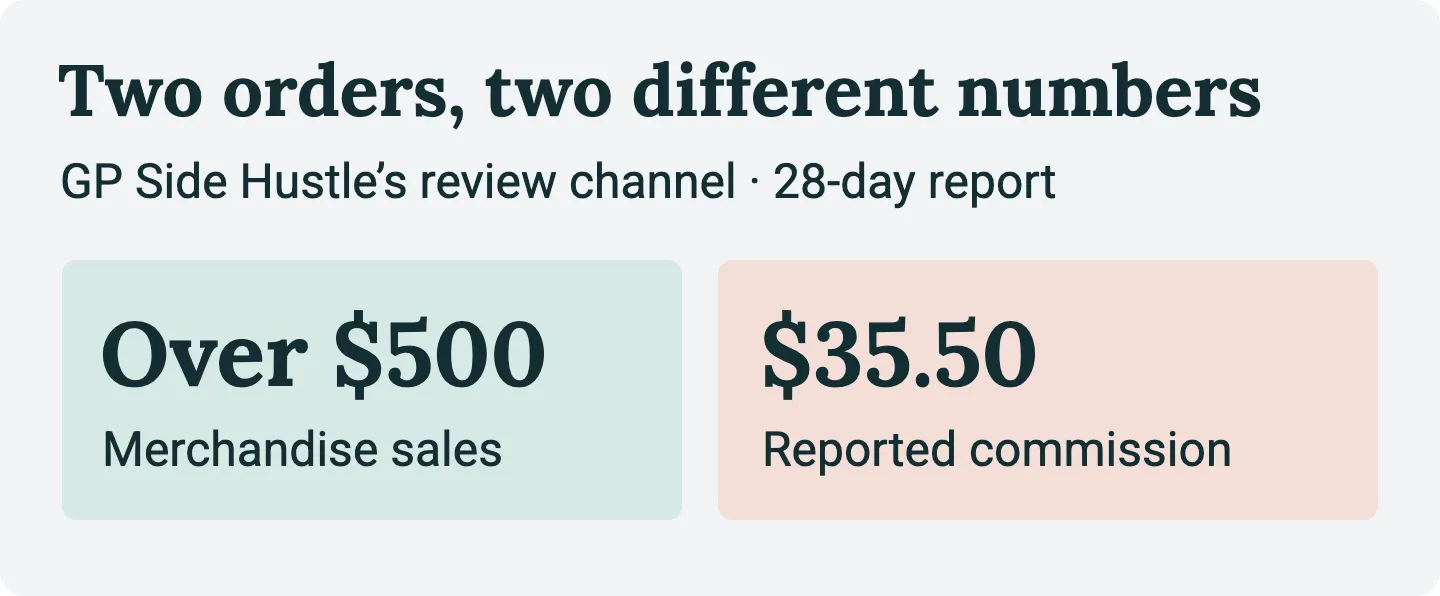
Pick a date to look back. Four weeks during the buying season is a useful first check for the air-conditioner review. If you make the edit in November, set a reminder for the next stretch of hot weather in your audience’s market.
Read recent video views alongside product clicks, orders and approved commission where the program reports them. If the video had hardly any viewers, you’ve learned little about the link. If viewers clicked but nobody bought, check the listing, price and availability before changing more uploads. Even orders can leave the result open. After tagging two products in an older upload, CanEye reported two orders. He was still guessing the commission rate when he recorded his update. Wait for the program to confirm what you earned after returns. Here’s how to investigate clicks without sales.
Start with one old video where you can finish this sentence: “Someone watching this today would want the exact model I showed because …” Make that one purchase easier, record the change, and use what happens to choose the next video.