

Your affiliate links are getting clicks. The earnings column is still at zero. Should you change the products, make better videos, or ask whether the links are working at all?
Start with one recommendation that already gets clicks. Check whether your affiliate report shows no orders, or orders without commission. Those call for different fixes. An unavailable product needs a new destination; a recorded sale needs to meet the program’s rules before you earn commission.
Check whether you’re missing orders or commission
For links in your video description, open the affiliate program or network dashboard where you created the link. For YouTube Shopping tags, the product labels attached to the video itself, open YouTube Studio → Analytics → Revenue → Affiliate.
If you also use a link shortener or a page listing your recommendations, its click count may describe an earlier step. Someone clicking your recommendations page has not necessarily followed a product link to the retailer. Look for the clicks recorded by the affiliate program itself.
Choose a date range and the relevant account or tracking ID, a label the program uses to group referrals. If you created separate IDs for different videos or placements, use those to narrow the report. An ID shared across your channel won’t, by itself, tell you which video produced each sale.
| What you can see | What to check next |
|---|---|
| Clicks on your link page, but none in the affiliate report | The product link, account or tracking-ID filter, and report dates |
| Affiliate clicks, but no orders | The destination, availability and whether the recommendation helps a buyer choose |
| Orders, but no commission | Shipping, eligibility and the program’s approval period |
In Amazon Associates’ US reports, open the Orders Report and expand Show all items to see products people clicked through to but did not order in the selected period. Check ordered items as well as earnings: most orders appear within three hours, while the earnings report is current through the previous day.
The dates matter too. A click, an order and a shipment can happen on different days. Amazon’s report guide explains why a short reporting window can show clicks without orders, or orders whose original clicks happened earlier. Expand the date range if you’re only looking at today.
For Amazon products tagged through YouTube Shopping, there’s a reporting limit worth knowing: YouTube shows aggregate daily clicks, sales and revenue, but not which specific video or product drove an Amazon purchase. Check that channel-wide report for orders; you cannot isolate a single video’s sales there.
If the program shows no clicks, confirm that you published a link generated for your affiliate account. For Amazon, SiteStripe’s Get Link tool includes your selected tracking ID. Recreate an uncertain link there, then check that the report is showing that same ID. If the discrepancy persists after the report updates, send the program’s support team the video URL, exact link and reporting dates.
Follow the link your viewer follows
Open your video on a phone and tap the link in the description. For a Shopping tag, open the tagged product. Look at the page as someone trying to buy:
- Is it the right product? Check the model and version, not just the brand.
- Can they order it? An out-of-stock listing can keep collecting clicks.
- Can it reach your audience? Check the retailer’s shipping countries and delivery costs against where your viewers live.
- Does the offer still match the video? An expired discount or a different bundle changes what you’re recommending.
In a 2023 creator discussion, an Amazon reviewer reported 1,500 clicks and seven sales and wondered whether the voiceover was putting people off. Commenters checking the links reported more immediate problems: one electronics recommendation led to an Audible page, and several product listings were unavailable. Checking the destination gave the creator something concrete to investigate before redoing a voiceover.
If the destination is wrong or unavailable, find a suitable current listing and generate a replacement through your affiliate program’s tools. Update the product name and any outdated offer in your description. If you use a Shopping tag, replace that tag with the current product. Our YouTube affiliate guide covers link creation and disclosure.
A working product page confirms where the link goes. It doesn’t confirm that a future purchase will earn commission. Don’t test that by buying through your own Amazon link: Amazon prohibits those purchases.
Give interested viewers enough to make a decision
A click can mean “I want this,” but it can also mean “I wonder what that costs.” Look at what your video helps someone decide.
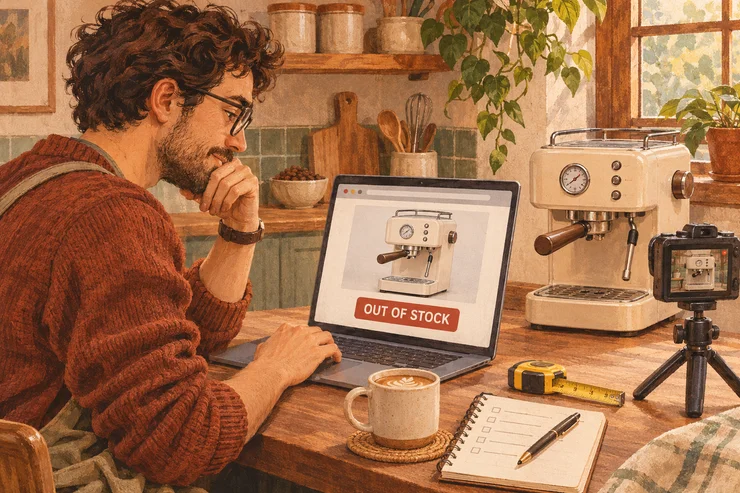
Suppose you film a kitchen tour and link the compact espresso machine on your worktop. Viewers may admire the setup without shopping for a machine. Someone actively choosing one for a small kitchen has more questions: will the water tank open under their cabinets? Will their travel mug fit? How much cleaning does it need?
Affiliate platform Mavely’s creator education makes a similar distinction: interest can stall when questions about size, quality or use go unanswered. A more expensive purchase can also take longer to consider.
Read the questions under your video. If viewers keep asking which size you bought or when a cheaper model would be enough, answer them in the description or a pinned comment and use them to shape your next demonstration. Explain the limitations too; someone buying for a tiny kitchen needs to know if the tank is awkward to refill.
Check which purchases earn commission
Even if your video helps someone choose a product, the program must credit the purchase to you. This is attribution: the rules for deciding which referral earns the commission.
For example, Amazon’s US rules normally start a 24-hour session when someone clicks your affiliate link. That session can end sooner if they place a qualifying order or click another affiliate’s link. An eligible item added to the cart during the session can still qualify when purchased later under the program’s terms.
A viewer could click your link, spend a week comparing machines, then buy after your referral window has expired. You helped them choose, but that alone doesn’t earn the commission. This matters especially for products that take longer to research: check your program’s purchase window and credit rules as well as the percentage it pays.
If orders are showing, check their approval status
In YouTube Shopping reports, Estimated revenue and confirmed Earned revenue are separate. Sellers validate purchases and allow for returns before confirming commission, typically over 30–90 days. Check whether earnings are still estimated or have been reduced after returns. A zero confirmed balance is not a reason to change a link that is already generating eligible orders.
The affiliate network impact.com explains that some brands upload orders manually, while returned or ineligible purchases can appear in separate report categories. Look for reversed or outside-terms actions before treating an order as missing. If a viewer has told you about a purchase that is still absent after 48 hours, contact the brand through impact.com with the order details you have. Share any order ID privately, not in the video comments.
If commission is approved but hasn’t reached your bank, check the payout schedule and payment settings. The sale has already passed the stage this article is helping you diagnose.
Choose the next fix from what you found
Suppose your espresso-machine recommendation has recorded clicks but no orders. You open the destination and find it out of stock. Replace that link first. You have an observable problem to fix without guessing whether your audience dislikes the product.
A handful of clicks is also little evidence to judge a recommendation by. One guitar-gear creator posted about getting a few clicks a day without sales, then updated the thread after a first sale at 25 clicks. That’s one creator’s experience, not a target your channel should hit.
Keep a note of the video, product, reporting period and change you made. When you check again, use the same account or tracking ID and compare the order report with the commission-status report; those totals describe different stages. You won’t see every shopper’s reason for leaving, but you can stop treating every zero as the same problem.