

Do you want to earn from products you recommend on YouTube, or make product videos for people already shopping on Amazon?
Amazon Associates, Amazon Influencer and YouTube Shopping serve those opportunities in different ways. They also overlap: Influencer extends Associates, while YouTube Shopping can add native product tags to an existing Amazon affiliate relationship.
For a first individual recommendation, start by looking at Associates. Influencer adds a storefront and the chance to make videos for Amazon shoppers. Shopping adds tags for eligible YouTube Partner Program (YPP) members. Here’s how the US programs fit together.
Where will people find your recommendation?
These four routes pay commission on qualifying purchases: eligible sales credited to your recommendation under the program’s purchase and tracking rules.
| Route | How the shopper finds it |
|---|---|
| Amazon product link Associates or Influencer |
Your viewer follows a link to an individual item. |
| Influencer storefront Influencer membership |
You send viewers to a page of your recommendations. |
| Amazon onsite video Influencer plus onsite eligibility |
Amazon shows your demonstration to people shopping on its site. |
| YouTube Shopping tag YPP and Shopping; linked Amazon account for Amazon tags |
Your viewer opens a tagged product beside your video, Short or livestream. |
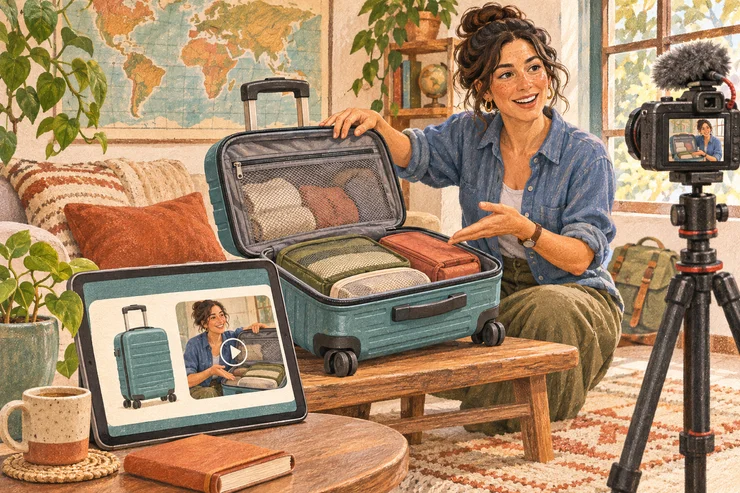
For example, a packing video might feature a suitcase, packing cubes and a luggage scale. A link works well for someone asking about the suitcase. A storefront lets you collect the whole packing kit in one place. You curate the recommendations; the retailer handles the order.
Associates gives you links; Influencer adds a storefront
With Amazon Associates, you create product links tied to your affiliate account and share them with your audience. When a viewer clicks and makes a qualifying purchase, Amazon credits the commission to you. An ordinary product URL without your affiliate tracking won’t do that.
You don’t need to be in the YouTube Partner Program to apply. Amazon has its own application requirements: an established public channel, original content and an organic following.
Amazon’s US team reviews your application after you generate at least three qualifying sales within your first 180 days. Your own purchases don’t count. You use your affiliate links during this initial period; the sales lead to the account review.
Once you have useful videos and an audience to recommend products to, apply to Amazon Associates and list your exact YouTube channel URL in the application. Our YouTube affiliate guide covers creating the link and placing it in your description. If you miss the sales requirement, Amazon can withdraw the application; you can reapply once your channel is more established.
The Amazon Influencer Program adds a custom storefront URL and a page you can organize into product lists. You could have one list for weekend packing and another for a longer trip, instead of maintaining a long description full of separate links.
Influencers can still link directly to individual products. Qualifying purchases from your storefront referrals earn standard commissions, just as your direct product links do.
You can apply for Influencer directly, including if you’re already an Associate. Amazon assesses your social account’s content, engagement and follower count. Influencer has its own assessment; Amazon describes several factors rather than a single subscriber cutoff.
Amazon onsite videos reach a different audience
An Influencer storefront also gives you somewhere to upload product videos. Amazon can select that content to appear elsewhere on its site, including product pages. This is the onsite opportunity: reaching shoppers Amazon brings to your content, rather than people you send from YouTube.
For the suitcase, think about what a shopper can’t tell from a listing photo. Does the handle wobble? How much fits inside? Can you reach the front pocket without opening the whole case? A short demonstration can answer those questions without becoming a full travel vlog.
Amazon’s current upload guidance says that once you have ten moderation-approved videos and have completed onsite commissions signup, shoppers may find your videos on relevant product pages. Amazon decides which eligible videos to feature. You upload through Creator Hub, or through Add to your storefront → Videos in the storefront’s owner view.
Amazon tracks this income through a separate onsite Store ID and rate schedule. In Associates Central, Amazon’s affiliate dashboard, use the account dropdown to select that onsite ID. Complete its payment and tax details, then use its reports to track onsite earnings. Amazon assigns this ID separately from the one tracking your own referral links.
For onsite video commission, Amazon requires the shopper to watch a minimum portion of your video and buy the featured product under its direct-purchase rules. The work is making useful shopping demonstrations, then seeing which ones Amazon places and which sales it credits.
YouTube Shopping puts the product beside your video
YouTube Shopping’s affiliate program lets eligible creators tag participating retailers’ products in videos, Shorts and livestreams. Viewers can open the product from the content instead of hunting through a description. Check YouTube Studio → Earn for the Shopping enrollment option, then browse offers under Shopping. Eligible YPP creators can join from 500 subscribers; the YPP entry requirements also include viewing activity and channel review.
For Amazon tags in the US, YouTube requires both YouTube Partner Program and Shopping affiliate enrollment, plus an active Amazon Associates or Influencer account linked to your channel. Associates is enough for the Amazon membership requirement; you don’t have to get an Influencer storefront too.
YouTube’s account-linking walkthrough shows View Your Storefront → Edit profile → Link your YouTube channel account in Amazon. Wait for YouTube’s enabled notification. Then check the product picker in Studio. Only a selection of Amazon products is available, so membership doesn’t mean every item you recommend will be there.
There are two useful differences from ordinary Amazon links:
- YouTube pays these commissions through AdSense. They don’t go through your normal Amazon referral payout.
- Amazon reporting in Studio is limited to aggregate daily clicks, sales and revenue. You can’t see which specific video or product drove an Amazon purchase.
Start by checking whether a product in your next video is available to tag. If Shopping isn’t available to your channel, you can still apply to Amazon for ordinary referral links.
Compare the offer, not just the program name
Compare rates for the same product and the route that credits the sale. Amazon’s US standard schedule lists luggage at 4%, while its ordinary onsite schedule lists luggage at 1%, checked in November 2026.
On $80 of eligible revenue, that’s $3.20 for a standard referral or $0.80 for an onsite sale. The higher referral rate comes with the job of bringing the shopper yourself. Onsite gives you a chance to reach people who have never watched your YouTube channel.
For a YouTube tag, check the retailer and product offer in Studio. Keep the earnings records separate: your standard Amazon referral reports, your onsite reports, and YouTube’s affiliate reports. A sale shown in one isn’t automatically another commission in the others.
For earnings paid directly by Amazon, direct deposits normally arrive about 60 days after the earning month ends, subject to payment settings and thresholds. YouTube’s native commissions follow its AdSense payment process.
Tell viewers when you earn commission from their purchases. Our affiliate guide’s disclosure examples show how to say that plainly alongside the recommendation and link.
For your first test, choose a product you already know well and a video where the recommendation belongs. Use a direct link if you’re starting with Associates, a storefront list if you have several recommendations to organize, or a tag if Shopping is enabled. If you want to make demonstrations for Amazon’s shoppers too, apply for Influencer and work through its onsite requirements as a separate project.